After resident meshes were installed, the author's test revealed a problem: enabling the GPU and zooming out could make the backend unavailable and cause performance to drop. The fix was published in commit 046a1850d and installed in the usual launcher on October 8, 2026, at 15:30, Brasília time.
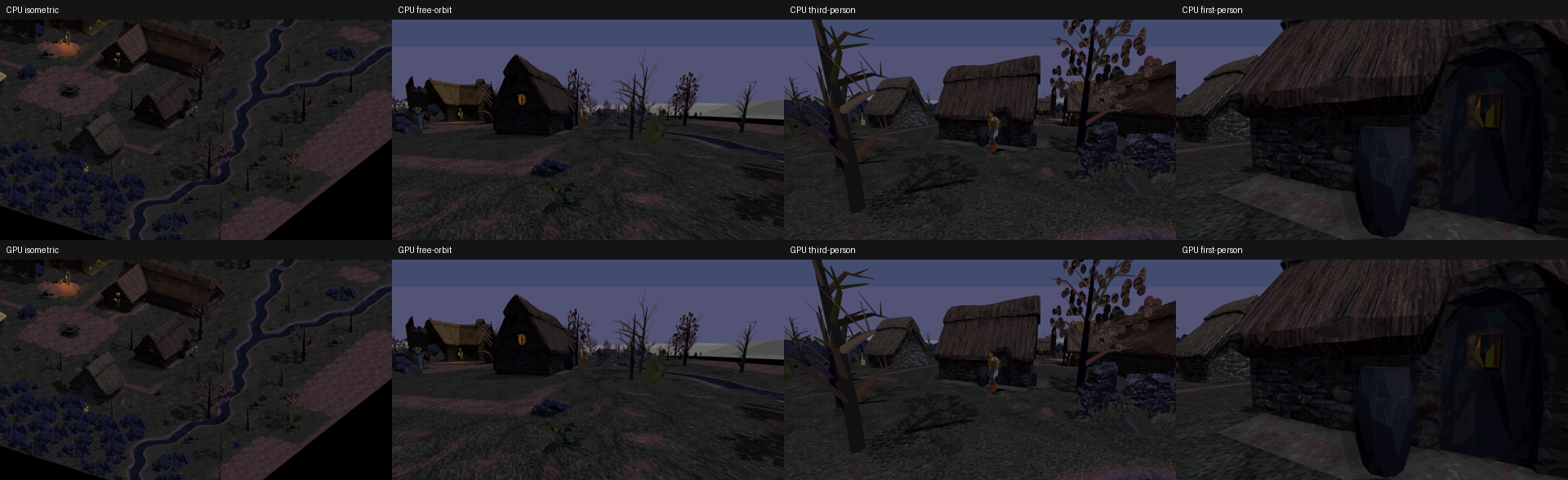
The image above is a previously published technical camera comparison, used only as context. There are no new gameplay captures of this fix. The evidence is in the tests described below and the documentation pinned to this revision.
What caused the drop
The game log showed the switch to the CPU at exactly 1,048,576 triangles, with the Radeon RX 570 identified and no device-removal error. The limit applied to the temporary stream also counted draws of meshes already resident on the GPU, even though those meshes did not allocate vertices in that stream.
When zooming out, more objects entered the view, and this shared count could reject a frame that fit within the resident path's limits. After the first failure, the block remained until the GPU option was turned off and on again.
Separate limits, safeguards retained
The count has been corrected. The cap still applies to the projected stream, while resident meshes retain their actual limits for memory, indices and buffer size. The geometry cache keeps its independent 256 MiB budget; the fix does not remove memory limits, and this budget does not represent all memory available on the card.
Failures now also distinguish capacity, invalid input, device and unsupported features, preserving the first cause. If a real failure occurs, the entire frame can still fall back to the CPU with consistent color, depth and selection.
When the GPU can return
A capacity failure can now recover automatically after an actual change to the camera, position, projection or panels, scene, raster configuration or visibility. There is a minimum interval of one second between attempts after failures; moving the camera continuously does not remove this interval, and the same rejected load is not retried every frame.
A successful recovery clears the message. Input or device errors continue to receive separate handling and may require intervention. Turning the option off and on allows another attempt and recreates resources after a device failure. Physical device loss was not induced during validation.
What the test established
The synthetic suite passed 1,843 checks. The diagnostic with the actual scene used Full HD, FOV 80, the selected package and the Radeon RX 570 hardware GPU. Eight poses covered zooming out to distance 80, rotations and free orbit, with additional checks of returning to isometric and resetting buffers. The isometric return retains the projected path; this fix does not enable resident geometry in that mode.
The largest complete frame reached 1,185,392 triangles. The entire sequence stayed on the GPU backend, with zero triangles rasterized by the CPU. This refers to rasterization in these tests: scene preparation, simulation and other stages still perform work on the CPU.
Repeating the poses preserved the complete color output, and 627 selection and depth probes passed. The complete shadow map, preferences, simulation and its random number generator remained intact. A separate test exceeded an actual pixel limit, confirmed full CPU fallback and automatic recovery after reducing the viewport, without turning the option off and on.
This result establishes continued GPU use under the tested conditions. It does not measure sustained gameplay FPS or establish 60 FPS. The earlier resident-geometry measurements remain a historical record of that round; this fix adds no new smoothness benchmark.
Installation and next steps
No model or texture was replaced. The 40 files in the usual profile kept their bytes and timestamps during installation; subsequent preparation changed only the expected runtime receipt. The usual launcher remains the entry point.
CPU preparation and GPU readback remain costly. Memory budgeting through DXGI and explicit adapter selection are still pending. The next step is to measure these bottlenecks during actual gameplay, preserving asset quality and the safety fallback. The execution guide for this revision records the queue.
The goal remains to rebuild all of Diablo 1 in 3D. Tristram is the first validation environment; the fix does not extend the renderer to the other levels or replace artistic review of the models.